The Silent Transform: A Pre-Solver Coordinate Audit for CAD-to-CAE Handoffs
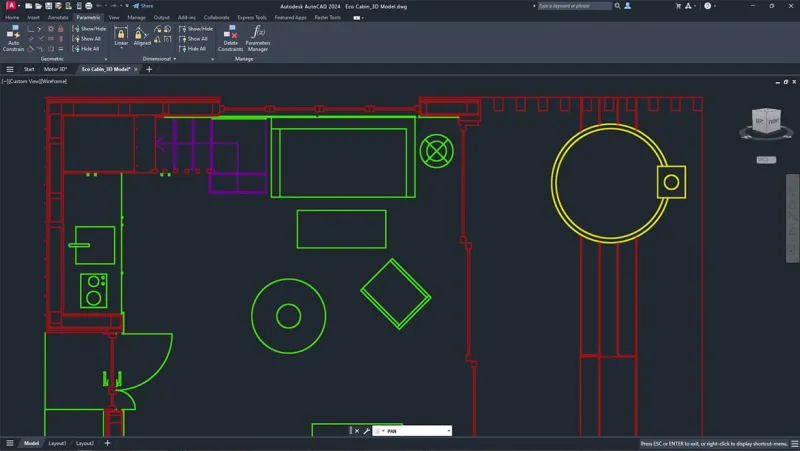
Photo: CAD model coordinate system datum planes engineering workstation, via www.datanumen.com
Every CAE team has a version of this story. A model arrives from CAD, the mesh looks reasonable, the boundary conditions are applied, and the solver produces a result that is plausible but wrong. The investigation usually starts with the solver, then moves to the mesh, then to material properties. Hours later, someone discovers that the imported part was rotated 90 degrees about an assembly origin, or that the displacement boundary condition was attached to a coordinate system that no longer matched the datum used in the design review. The solver did exactly what it was told. The handoff did not.
In 2026, CAD and CAE toolchains are more connected than ever, but connectivity has not eliminated coordinate ambiguity. It has made it easier to hide. A native import can preserve names, transforms, and units without making their assumptions visible. The result is a class of error that is geometric in origin and numerical in appearance. The audit below is intended to make those assumptions visible before the solver runs.
The failure mode is geometric, not numerical
Coordinate errors rarely announce themselves as coordinate errors. A unit mismatch can look like a material stiffness problem. A datum offset can look like a boundary condition problem. An assembly transform that was applied twice can look like a modeling error in the CAD source. Because these failures surface as solver anomalies, teams tend to investigate the solver first. That is the wrong order.
The core issue is that a CAD-to-CAE handoff carries more than geometry. It carries a transform stack, a unit system, a set of named coordinate systems, an assembly structure, and a configuration state. Each of these is data. Each can be checked. Most teams check geometry and mesh quality, but treat coordinate data as an implicit property of the import. That is where the audit begins.
Gate one: export with a manifest
The first control point is the CAD export itself. Do not rely on the receiving CAE tool to infer intent. Require the exporting workflow to produce a handoff manifest alongside the geometry. The manifest should record the source file revision, the active configuration, the export unit, the named coordinate systems and their identifiers, the transform from each local origin to the global origin, the bounding box, the mass properties if material is assigned, the exporting user, and the date. This is not bureaucracy. It is the difference between a model that can be audited and a model that can only be trusted.
The manifest should also record which coordinate systems are intended for simulation use. A CAD file may contain dozens of construction planes and local systems created for drafting. The CAE model needs a short, explicit mapping between the design datum names and the simulation coordinate system names. If the mapping is not documented at export, the import workflow will guess, and guessing is not a control.
Gate two: assert on import, not after meshing
The receiving workflow should fail loudly if the manifest and the imported model disagree. Assertions should run before meshing, not after. Check the unit scale factor first. A factor of 25.4 is easy to spot in a bounding box; a factor of 0.001 hidden in a density field is not. Check that named coordinate systems exist by name and identifier, not by list index. Check that each transform is rigid: no scaling, no shear, and a determinant consistent with a proper rotation. Check that the assembly origin used for the simulation matches the origin recorded in the manifest.
A practical import assertion set includes the following: bounding box extents within a relative tolerance; center of mass within tolerance when material is assigned; a small set of named datum points at known coordinates; and a check that no unexpected top-level transforms have been applied. These checks are inexpensive, and they catch the common failures before a mesh is generated.
Gate three: verify the simulation coordinate system
The third gate is simulation-specific. The solver may not care about CAD datums, but it does care about the coordinate system used for gravity, boundary conditions, initial velocities, remote points, and contact normals. Each of these should reference a named coordinate system that was verified at import. A common mistake is to apply a fixed boundary condition in the global system while the design intent was a local system aligned with a mounting face. The model solves, the numbers look reasonable, and the error survives into the report.
The audit should also check orientation conventions. A normal direction that is reversed will not always produce an obvious failure, especially in linear static or modal runs. Contact definitions are particularly sensitive. A preflight checklist should confirm that the coordinate system triad displayed in the CAE tool matches the intended physical direction, not merely that the system exists.
Gate four: automate the audit as a workflow, not a habit
The final gate is organizational. A checklist that depends on an engineer remembering to run it is not a control. The audit should be encoded in the export script, the import macro, or both. The manifest should be generated automatically. The import assertions should write a log and block promotion to the solver queue if a critical check fails. For teams with simulation data management, these checks can run as part of model promotion, much like a build step in software.
Start with three automated checks that are easy to defend: unit scale, bounding box, and named coordinate system existence. Add mass properties and transform rigidity when the workflow supports them. Keep the tolerances explicit and review them when the modeling scale changes. A tolerance that is appropriate for a millimeter-scale bracket is not appropriate for a meter-scale frame.
The goal is not to eliminate every possible coordinate error. The goal is to make the common ones cheap to detect. A solver run that fails after four hours is expensive. A failed import assertion that fires in four seconds is not. Datums, units, and assembly origins are not clerical details. They are part of the model. Treat them that way, and the solver will have fewer opportunities to be confidently wrong.